Blox League Beginner Guide — Your First Match
Start in Training / Free Play, make one controlled ground shot, recover toward your own half, then try a casual match. You can learn a useful first loop without beginning with an aerial or buying a cosmetic.
Know which game and menus you are opening
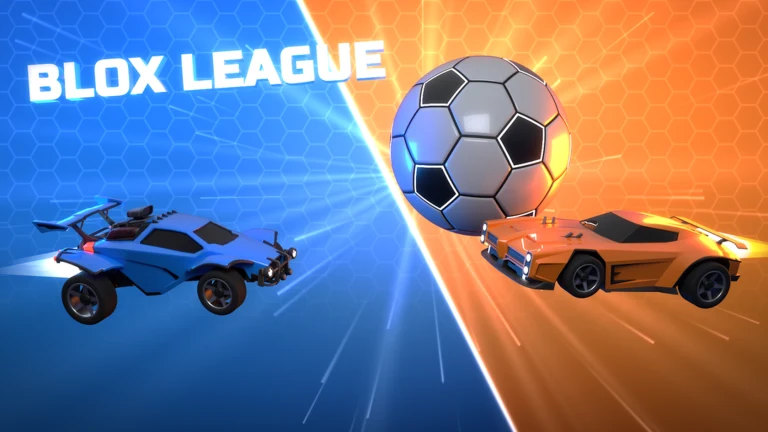
Use the Blox League car-soccer experience by blox league gaming linked from this site. It is not the similarly named football-card collecting game. The launch creators name Play, Training, Garage, Item Shop and Settings; menu labels or their arrangement can change as the game develops.
Training / Free Play is the practical place to test movement without making a competitive match your setup screen. The first-session routine below is our coaching plan based on the observed practice and match features. It is not an in-game quest or an official tutorial mission.
Complete the first-session loop
Test the inputs
Open Settings and inspect your current layout, then enter Training / Free Play. Drive, turn, slow down, jump and make a short boost. Launch footage reports right mouse button for PC boost and working controller input; the Controls guide gives the source details.
Line up a ground shot
Get behind the ball with your car pointing toward the goal. Approach at a speed that leaves time to steer. Your first target is a readable, directed touch, rather than maximum speed.
Drive through the center
Touch the center of the ball and watch its path. If it goes wide, change the approach angle before adding boost. If you overshoot the ball, try a slower approach. Repeat from a comparable position so you can see what changed.
Recover after the shot
After the touch, turn back toward your own half instead of continuing wherever momentum takes you. In a match, this makes you available for the next save or a teammate's recovery. Practice a shot and a return together.
Try a casual match
Select a casual team format from Play. Duels makes your own mistakes easy to identify; doubles lets you practice challenging while a teammate covers; standard adds more traffic and passing decisions. These are learning recommendations, not difficulty ratings.
Pick one improvement for the next session
After the match, choose one repeated problem. Practice the shot if touches go wide, recovery if your goal is exposed, or camera/input setup if you lose the ball. Then return to the same queue to see whether that one change helps.
Fix the mistake you can see
| What happened | Next attempt | Why it helps |
|---|---|---|
| You drove past the ball | Slow the approach, then line up before using boost | It gives steering time before contact. |
| The ball went sideways | Approach closer to the ball's center with the goal behind it | Contact angle matters before extra speed. |
| You and a teammate hit the same ball | Let one challenge while the other covers behind | It leaves another touch available if the challenge fails. |
| Your goal stayed open after a shot | Add a return toward your own half after each attempt | Practice the recovery together with the attack. |
| The camera made touches difficult to read | Test Camera Shake off and change one camera option at a time | A repeatable test is clearer than changing the whole setup at once. |
When to try an aerial
Creator footage includes aerial play and reports advanced techniques such as flip resets and wave dashes. You do not need those techniques to complete the first routine. First make a directed ground touch and recover consistently; then use Free Play to try leaving the ground while keeping the ball visible.
The reviewed material does not establish a full aerial key sequence or exact timing window. Follow the current control labels and make small repeatable attempts, rather than treating a Rocket League tutorial's timing as measured Blox League behavior.
Sources checked October 1, 2026. Official features and attributed creator reports support the facts. Practice routines and offer checks are our editorial advice.